A tablet that only needs two buttons
A heavy, friendly desk terminal for seniors in care homes and at home: a 15.6" touchscreen that always shows the AI avatar, plus two big physical buttons. What it does: conversation, YouTube, news, weather. Nothing more.
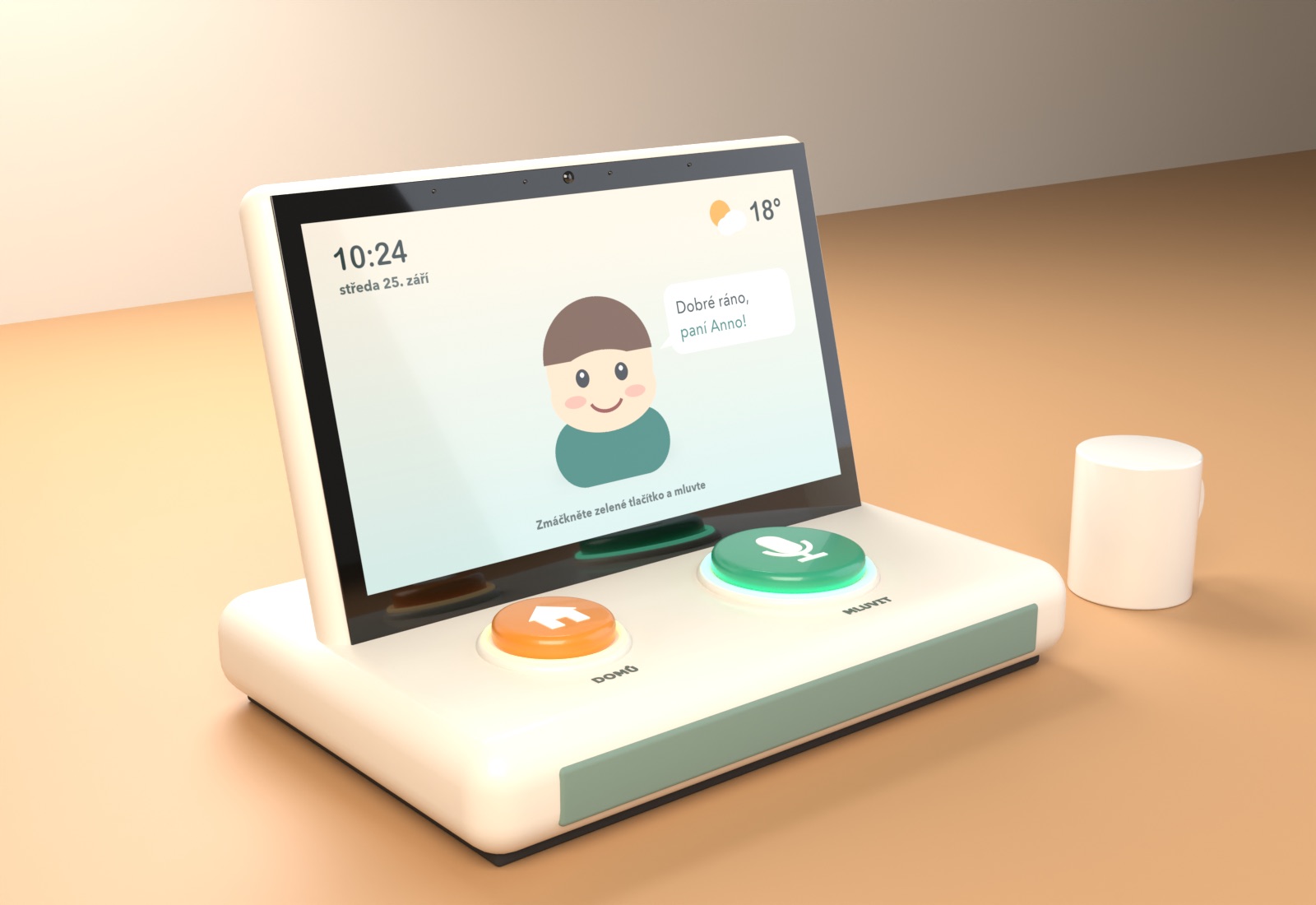
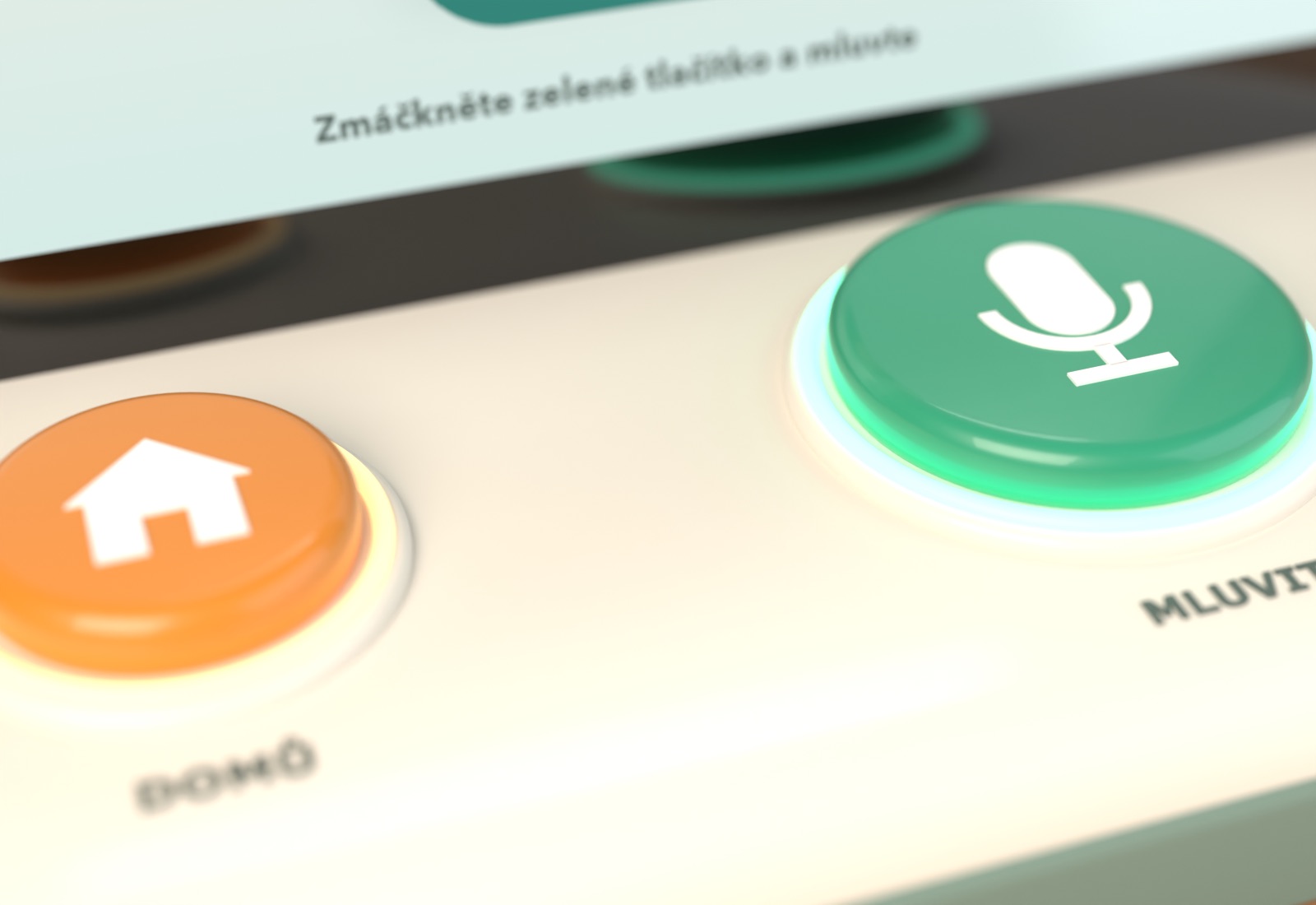
The two buttons
Talk
- Press once and speak. It stops listening when the person goes quiet, so there's no need to hold it down (holding is hard with tremor or arthritis).
- The LED ring glows while listening and pulses while the avatar answers.
- Everything goes through speech: "play Karel Gott", "what's the weather", "read me the news".
Home / Stop
- Stops whatever is playing (video, news, the avatar talking) and returns to the avatar's home screen. It always does the same thing, from anywhere.
- Why this one: the most common way seniors get lost with tech is getting stuck inside content. And a voice command often can't be heard over a loud video. One physical "escape" makes the whole device safe to explore.
- Rejected: SOS / call for help. It implies an emergency service with liability. Care homes already have nurse-call systems, and Czech competitors (RadimCare) explicitly avoid the claim.
The touchscreen stays usable (tap a video to pause it, swipe between results), but nothing on screen is required. The two physical buttons plus voice cover every function.
Views
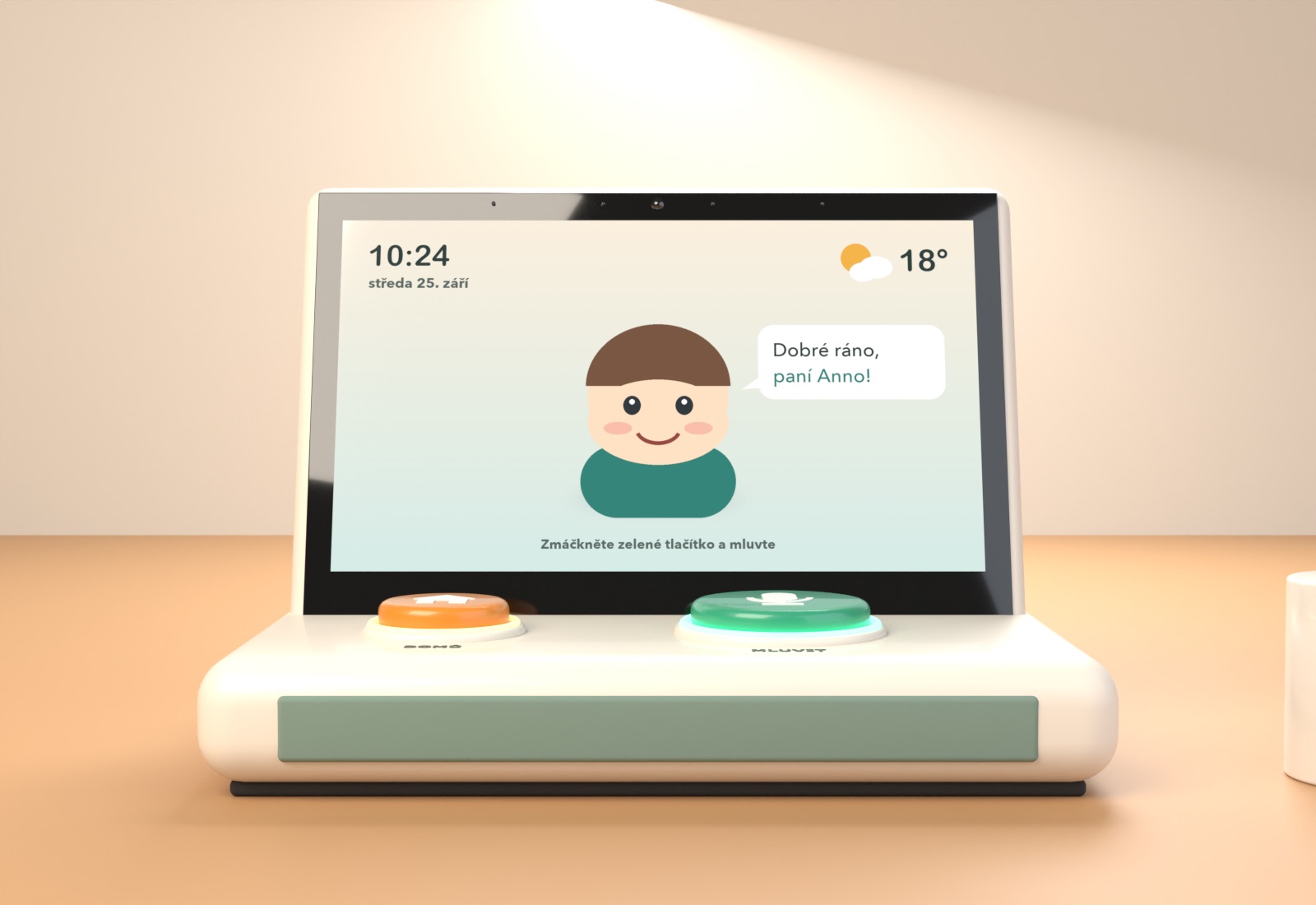
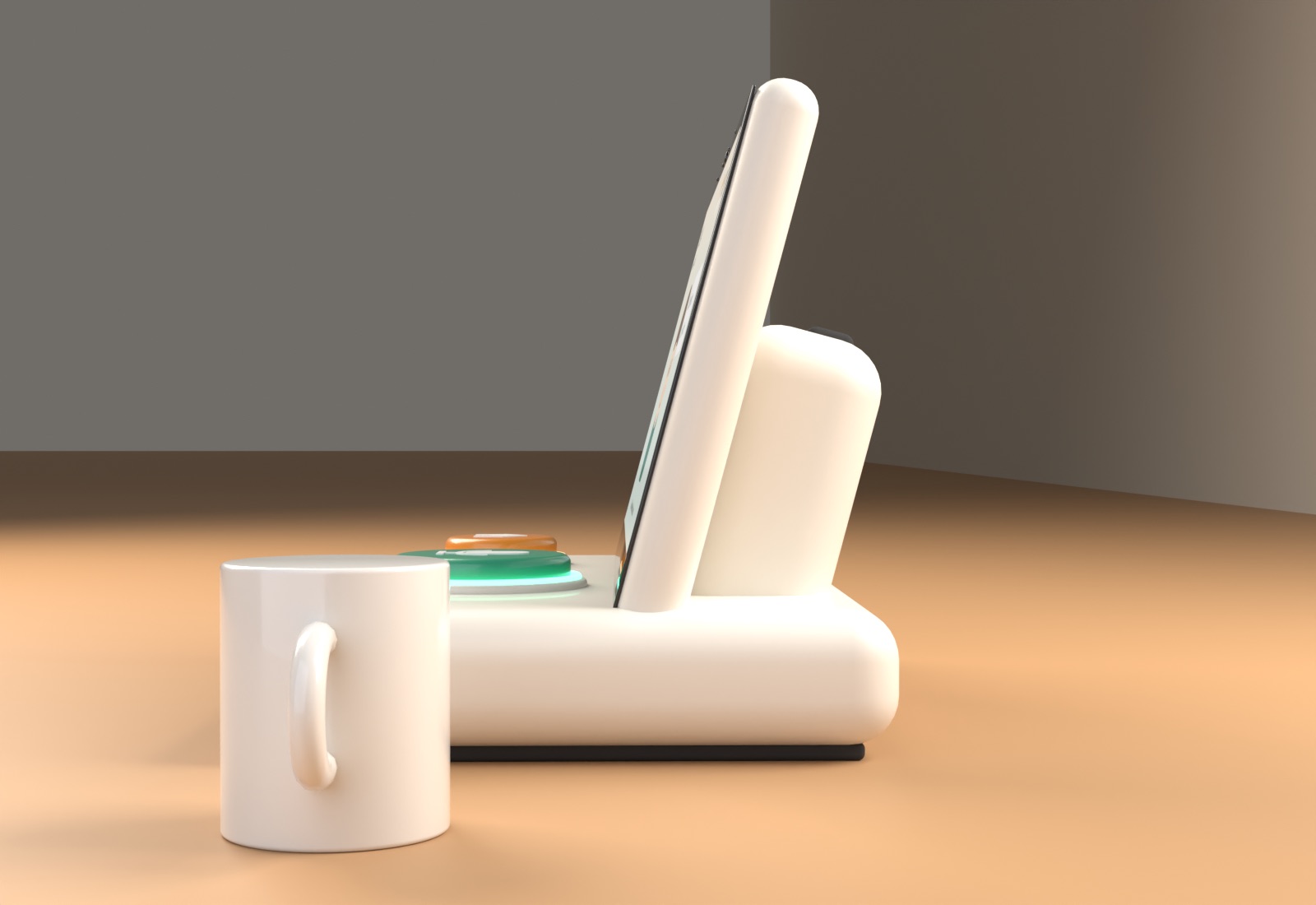
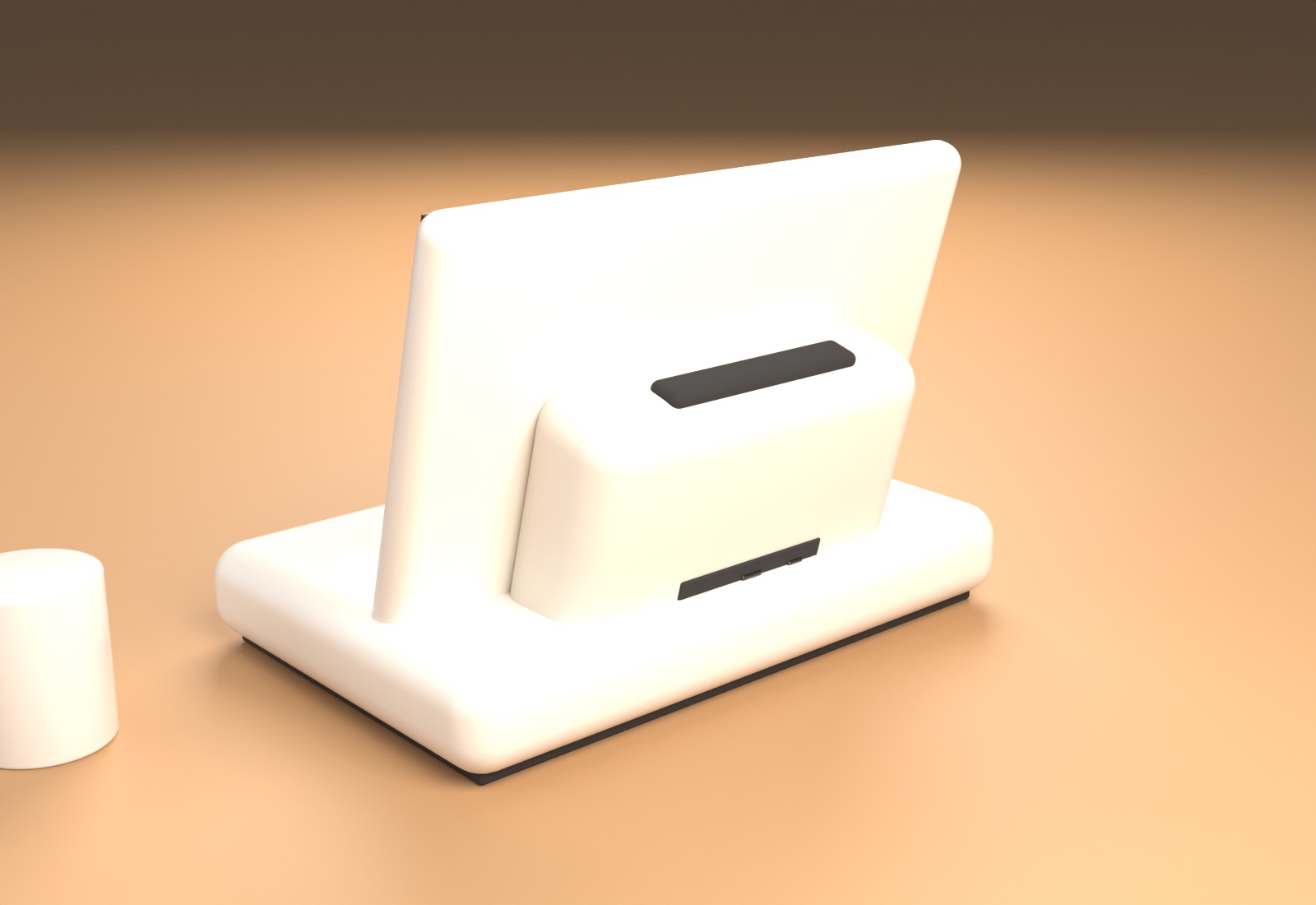
Rotate it
Drag to rotate, scroll or pinch to zoom. The same model is in terminal_concept.glb / .blend for the factory.
Dimensions
"Rigid" comes from three choices: a low, heavy base; a screen that can't move; and a full-surface anti-slip TPE foot. Nothing folds, swivels, or detaches.
What to source
| Part | Spec to ask for | Why | |
|---|---|---|---|
| Display | 15.6" IPS, 1920×1080, ≥ 400 nits, 178° viewing, 10-point PCAP touch, anti-glare + anti-fingerprint cover glass, optical bonding preferred | Avatar and YouTube need 16:9. Readable in bright rooms and from a bed or wheelchair angle. | core |
| Mainboard | Android 13/14 all-in-one board, Rockchip RK3588 (or RK3576 to save cost), 8 GB RAM, 64 GB eMMC, eDP/LVDS to the panel, GPIO/USB for the buttons, secure boot + OTA support | Smooth video + avatar rendering. The NPU can handle wake/voice detection on-device. | core |
| Microphones | Far-field 4-mic linear array with hardware echo cancellation (XMOS XVF3800-class module), USB or I²S | Must hear the person while a video is playing and from ~2 m away, with room noise. | core |
| Speakers | 2 × 5 W full-range, 40–50 mm, front-firing, + passive radiator; class-D amp; target ≥ 85 dB @ 1 m | Hearing loss: speech clarity matters more than bass. | core |
| Buttons | 2 × momentary arcade-style buttons with custom caps (88 mm and 64 mm), light actuation force, ≥ 1 M cycle life, built-in RGB LED ring, moulded raised icons | Usable with a fist, a palm or a shaky finger. The light ring shows state. | core |
| Connectivity | Wi-Fi 6 dual-band, Bluetooth 5, 4G LTE Cat-4 modem with nano-SIM (EU bands B1/3/7/8/20/28), Gigabit Ethernet | The DIGI4Care pilot found weak Wi-Fi in Czech care homes. LTE makes the device work anywhere. | core |
| Sensors | Presence sensor (mmWave radar or PIR) + ambient light sensor behind a top-bezel window | The avatar wakes and greets when someone approaches. Brightness adjusts automatically at night. | core |
| Camera | 5 MP with a physical privacy shutter. Quote it as an option, and keep the bezel footprint. | Not in v1 (privacy is a selling point in CZ), but keeps video calls possible later. | option |
| Power | External 12 V / 3 A adapter (EU plug, CE), 2.5 m cable with strain relief; internal 2S Li-ion backup ≈ 3000 mAh (≈ 1 h) | Carrying it to another room doesn't reboot it. | core |
| Housing | PC/ABS, UL94 V-0, warm white, antimicrobial additive, resists alcohol/quat disinfectants, IP44 splash; perforated front grille in sage (instead of fabric) for the care-home version | Care homes wipe everything daily. Fabric is harder to disinfect. | core |
| Base | ≈ 2 kg steel ballast plate, full TPE anti-slip foot, carry-handle recess, Kensington slot, VESA 75 on the spine | Stability, protection against theft, and optional wall or bed-arm mounting. | core |
| Compliance | CE (RED, EMC, LVD), RoHS, WEEE, EU battery rules | Needed to sell in the EU. Stay out of medical-device scope (no health claims). | core |
Suggested path with the sourcing agent
- Prototype on an existing product. Ask for off-the-shelf Shenzhen "15.6 inch Android all-in-one panel PC" units with RK3588/RK3576, plus a USB mic-array module and two arcade buttons. Put them in a 3D-printed base like this model. That gives us 5–10 test units for care homes without paying for moulds.
- Ask each supplier: MOQ, unit price at 100 / 500 / 1,000, whether they'll build a custom housing (ODM) and what the mould costs, Android version and how long it gets updates, Google (GMS) certification status (it affects how YouTube can run), EU LTE bands, and whether CE reports are available.
- Custom mould only after the pilot. Lock the housing once seniors and staff have used the prototypes for a few weeks. Button size, lean angle and volume are the things most likely to change.
Files
terminal_concept.blend · terminal_concept.glb · build_terminal.py (regenerates the model and renders) · make_screen.py · renders/*.png
The screen image is only a stand-in to show scale and mood. It isn't the avatar or UI design.